Rank 02 / Ensign
Add a table that needs a ROM
Most recreations of real machines need one extra file. Learn what a ROM is, its purpose and where it goes so the table boots.
Time: 10 minutes | One Extra File
You already know how to add a table from the Cadet guide. A table that recreates a real machine is added exactly the same way, with one extra file alongside it: a ROM.
This guide explains what a ROM is, how to tell when a table needs one, and where the ROM goes so the table boots. Adding the file is the only new step.
Important
PLEASE NOTE: FOR LEGAL REASONS, WE DO NOT PROVIDE ROM FILES, NOR DO WE PROVIDE LINKS TO ROM FILES. PLEASE DO NOT REQUEST ROMS.
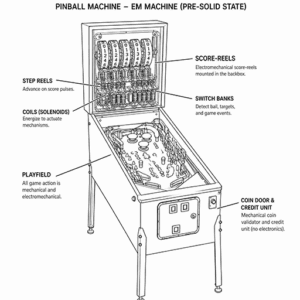
Electro-mechanical (EM)
The oldest machines. Scored with physical spinning reels and run by relays, motors and switches. There is no computer inside, so there is no software to load.
NEEDS A ROM : NO
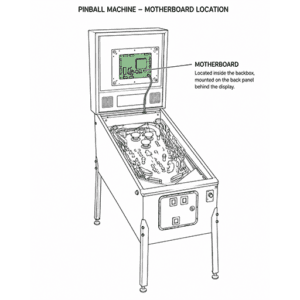
Solid-state (has a computer)
From the late 1970s on, machines ran on a computer board. Its software is the ROM: the brain that runs the rules, the scoring, the display and the sound. A recreation of one of these needs that original ROM to work.
NEEDS A ROM : YES
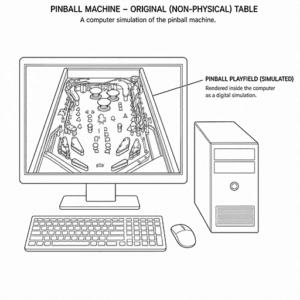
Original (non-physical)
Community-built tables that were never real machines, like Space Cadet. The whole game lives inside the table file as a computer simulation, so nothing extra is needed.
NEEDS A ROM : NO
01
a rom file
What is a ROM?
A ROM is the brain of a real pinball machine. It is the original machine’s software: the rules, the scoring, the dot-matrix animations, the callouts and the sounds.
Visual Pinball recreates the physical table you see and flip. The ROM provides the actual game running underneath it. The two work together: the table is the body, the ROM is the brain.
That is why recreations of real machines need their ROM, while originals like Space Cadet do not. An original was never a real machine, so there is no separate brain to load. It runs entirely inside the table file.
01
knowledge
How to tell a table needs one
Two simple signals.
- The table’s own description says so. Recreations of real machines may state the ROM they require, by name. Original tables say they need nothing extra.
- The app flags it. Inside Pocket Pinball, a table missing its ROM shows an amber warning on its cover. If you launch it anyway it will not boot properly: you will see a ROM error and a checklist advising you the name of the rom file needed.
01
download
Where to download?
Unfortunately due to legal reason, you are on your own on this one. Legally you must own the machine already to be able to use the ROM from your own pinball machine.
01
respect
ROM Etiquette
Beyond the legal position above, there is a line we ask everyone to hold.
Out of respect for the talented people who design and build these machines, please do not use, play, or request ROMs for any machine a manufacturer still sells new. There are companies, still selling these physical pinball tables today, and treating their current products as free undermines the hobby all of us love.
If a current machine grabs you, support its maker: buy the real thing, or an officially licensed digital version. Keeping this line is how the community stays welcome.
The virtual pinball community are very tough on this and reject any persons crossing this line.
02
add
Add the ROM
When you have the correct ROM file for your table, you add it the same way you added the table itself. Sourcing the file is your responsibility, as noted above.
- Keep it as a single .zip. Do not unzip it. The simulator reads the
.zipexactly as it is. - Do not rename it. Each table looks for its ROM by a specific name, so the file name must stay exactly as it is.
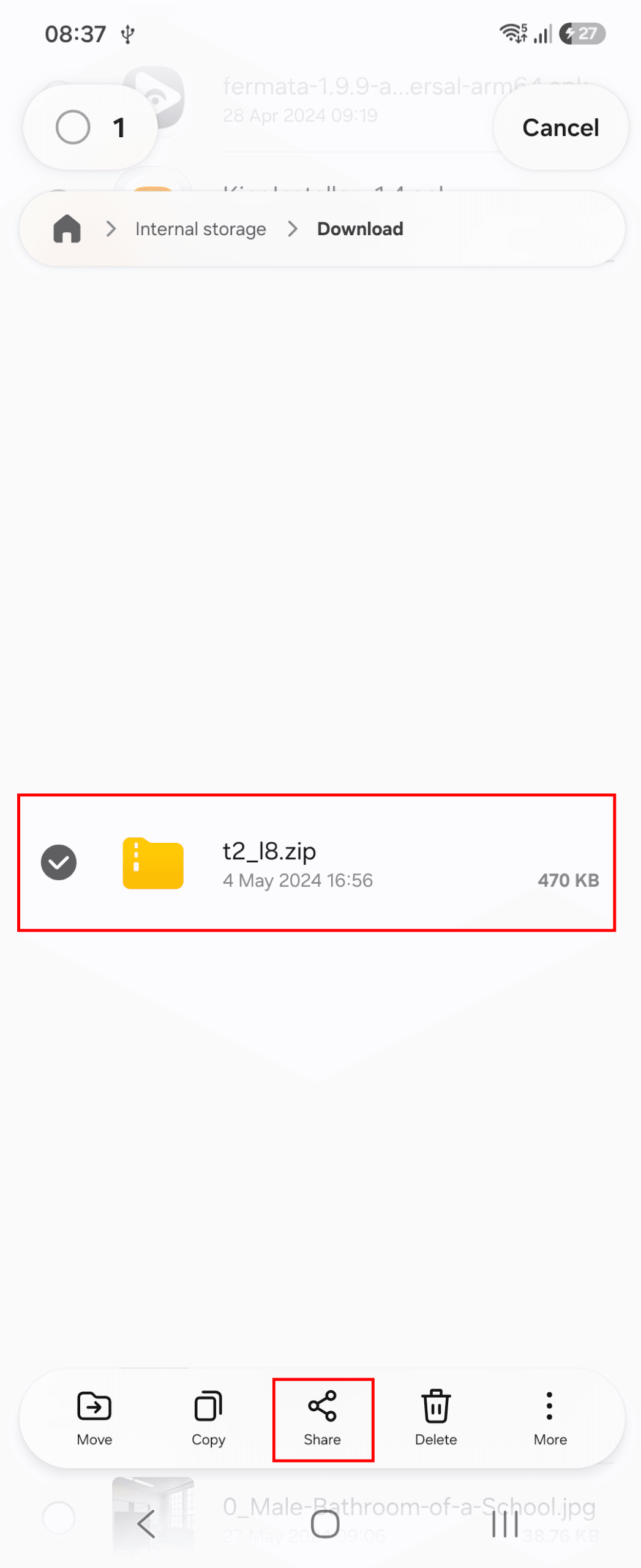
- Share it into Pocket Pinball, just like you shared the table. The app files it into the right place (
pinmame/roms/) for you. - Open the table. In Collection, tap the table. With its ROM in place it boots to its attract mode and is ready to play.
05
play
Tap the cover to play
Now your rom has been imported. Your table should now play.
Earn your Ensign Patch
Four questions to test your knowledge.
Which kind of table needs a ROM?
What does a ROM actually do?
Does every table need a ROM?
Out of respect for makers, you should NEVER USE or request ROMs for which machines?
PRE-FLIGHT 0 / 4